If, like me, you work regularly with Visual Studio and GIT Team Explorer, here are some useful shortcuts.
- The changes panel : Ctrl 0 + G
- The branches panel : Ctrl 0 + R
- The synchronization panel : Ctrl 0 + Y
The other shortcuts of Azure DevOps and Team Explorer are included in this article.
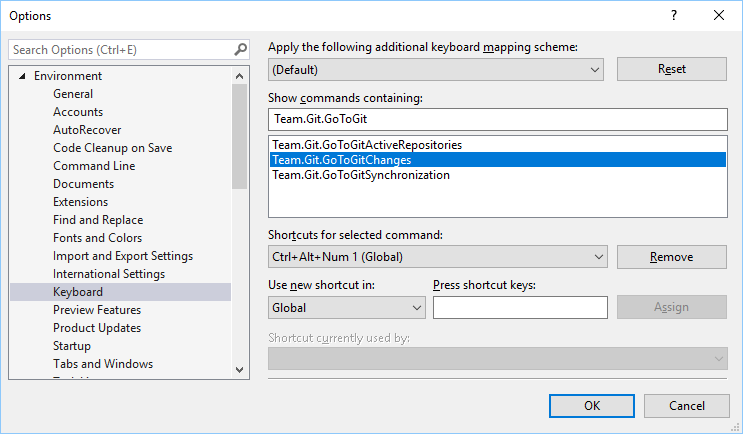
Feel free to add some of the easiest to write, via the Tools / Options / Environment / Keyboard menu.
- Team.Git.GoToGitChanges : Ctrl + Alt + Num 1
- Team.Git.GoToGitActiveRepositories : Ctrl + Alt + Num 2
- Team.Git.GoToGitSynchronization : Ctrl + Alt + Num 3